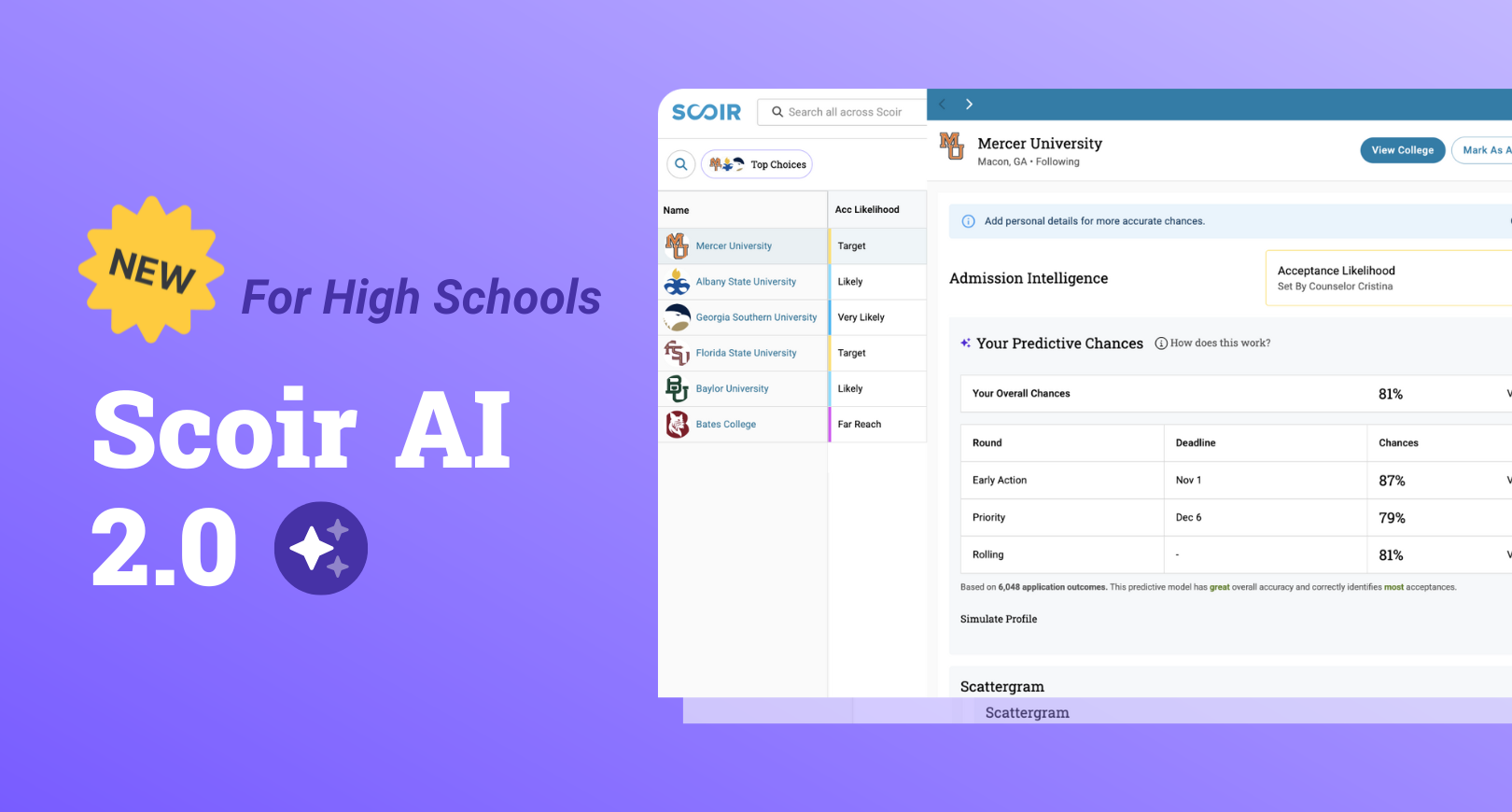
The latest version of Scoir AI 2.0 is here! 🚀 We've released powerful updates to help inform and evaluate application strategies, helping you save even more time on admin and research.
Scoir AI is a series of tools tailored to your high school to help balance college lists and demystify acceptance chances, powered by tens of millions of de-identified outcome records. Learn more about the initial Scoir AI release.
Let's dive in!
- Smarter, Simpler Intelligent Match
- Customizable Acceptance Likelihood Ranges
- Enhanced Controls for Student Rollout
- More Flexible Balanced List Scoring
- Bonus Resources
In August 2025, we released updates to Scoir AI settings to make them easier to understand and set up. Check out the article for the latest information.
1. Smarter, Simpler Intelligent Match
TL;DR: We’ve made Intelligent Match even simpler, providing more accurate and personalized acceptance likelihood predictions that better align with students’ Predictive Chances.
What's in it for you: Have you experienced incongruence between students’ acceptance likelihood and their Predictive Chances? Do you find yourself questioning the predicted level or making manual adjustments before sharing with your students?
Those days are behind you! Intelligent Match is now more precise and personalized to each student, based on their Predictive Chances. The choices are simple: use Intelligent Match or score the college manually!
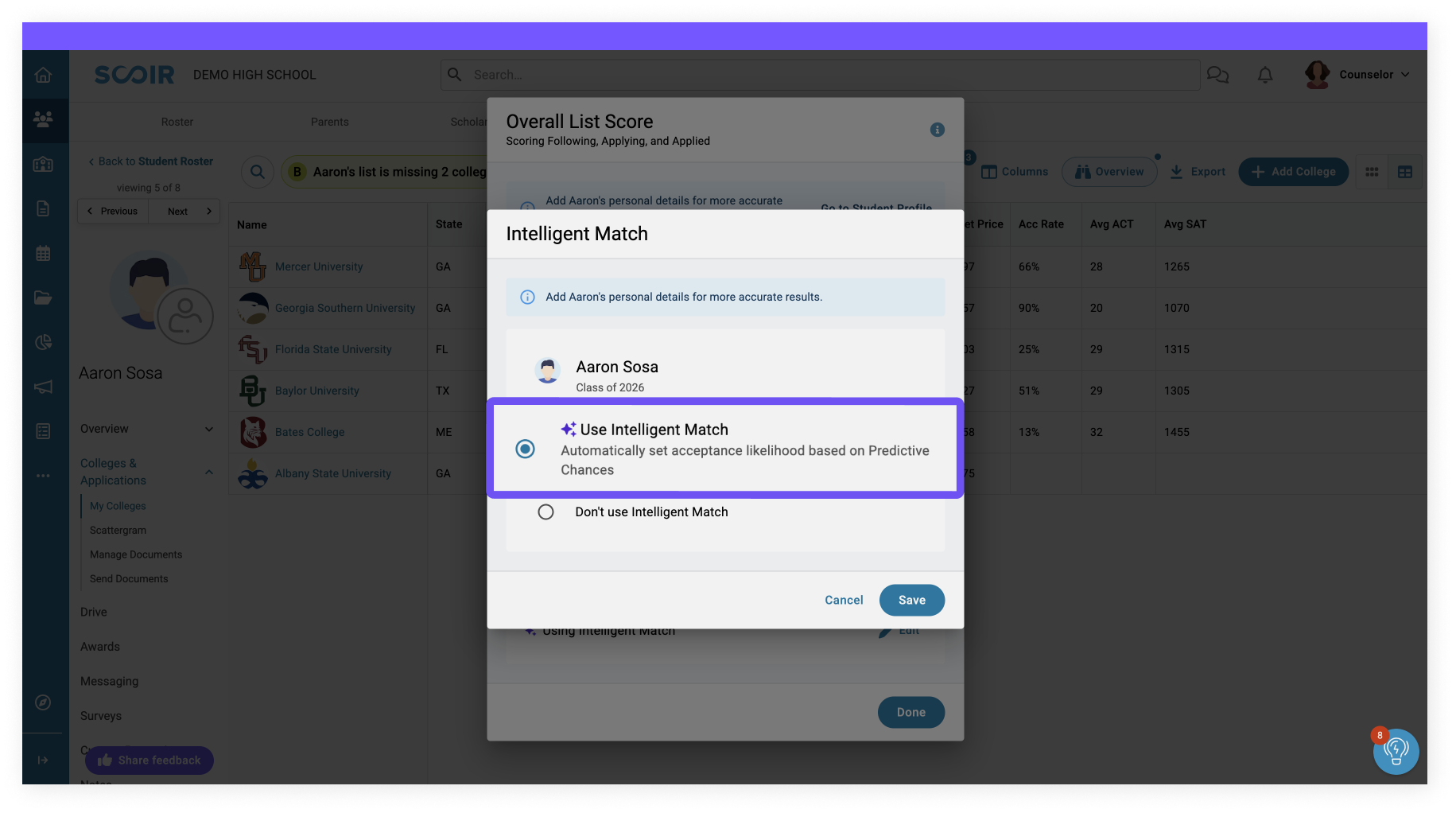
What if I set a manual Match Level for the original version of Intelligent Match?
No problem! The student’s list will continue to be scored based on the Match Level you set. If you choose to use an updated Intelligent Match, simply enable Intelligent Match and remove that Match Level from their profile.
2. Customizable Acceptance Likelihood Ranges
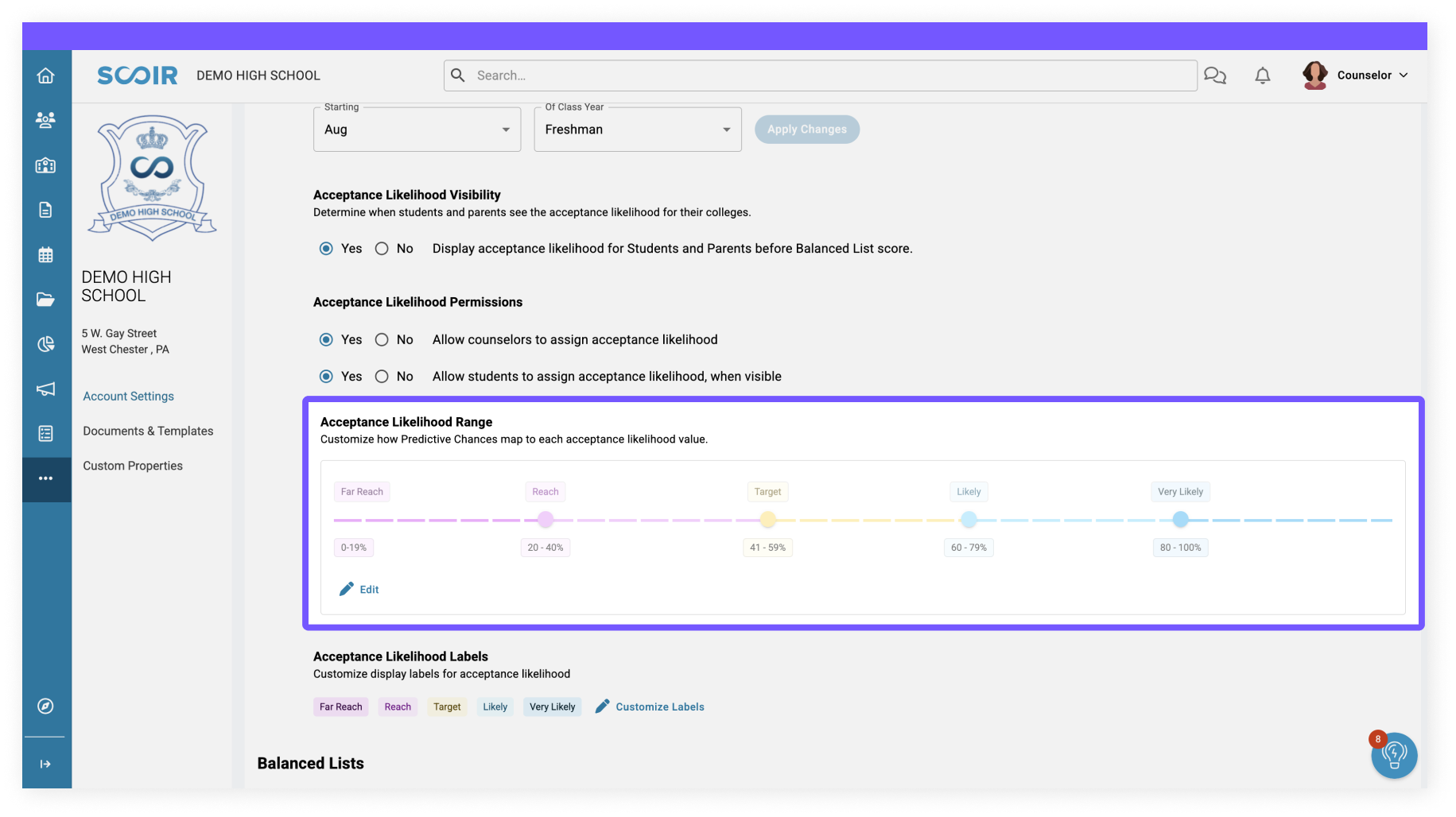
TL;DR: Now, you can define what “Reach,” “Level,” and “Likely” mean for your school by customizing the acceptance likelihood ranges to suit your unique advising needs.
What's in it for you: Make Scoir AI fit into the vernacular your school uses.
3. Enhanced Controls for Student Rollout
TL;DR: Now, we've allowed more in-depth controls so you can take your time scoring and balancing lists with confidence before sharing acceptance likelihoods with students.
What's in it for you: Acceptance likelihood is always included when sharing a balanced list, but if you would like to leverage Intelligent Match to rapidly score college lists before sharing the results, you can choose to hide acceptance likelihood from students and parents until balanced list scores are shared.
By default, acceptance likelihood is visible to the student and parent as soon as it’s set by a given school. You can adjust this setting at any time in your Scoir account.

4. More Flexible Balanced List Scoring
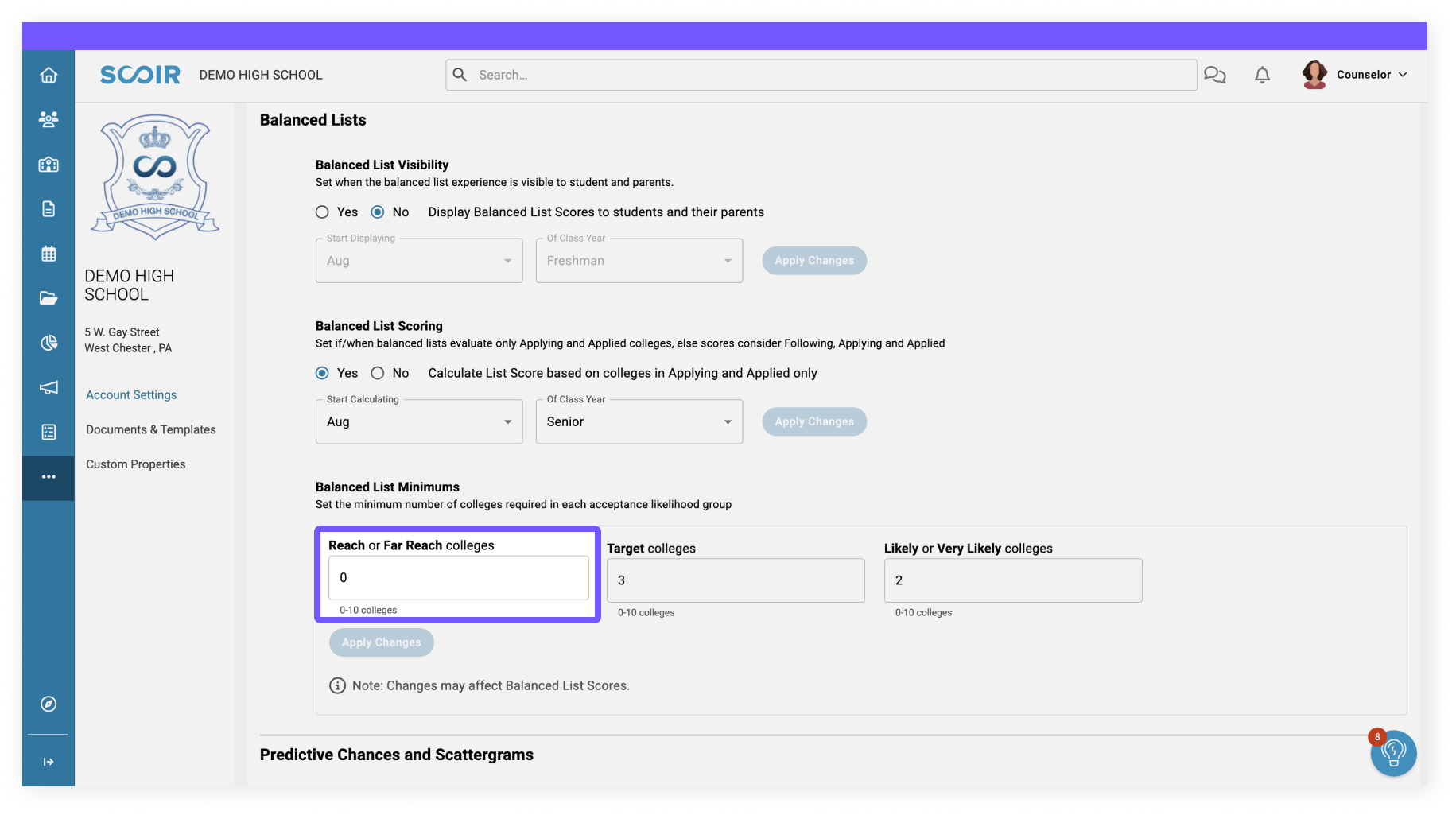
TL;DR: We’ve updated Balanced List buckets to allow a zero minimum, giving you greater control and flexibility when building balanced college lists.
What's in it for you: We heard you! Not all schools require students to have colleges in all the balanced list buckets. You can now set your bucket minimums to zero, for example, and not require students to have Likely or Very Likely colleges to achieve a balanced list.
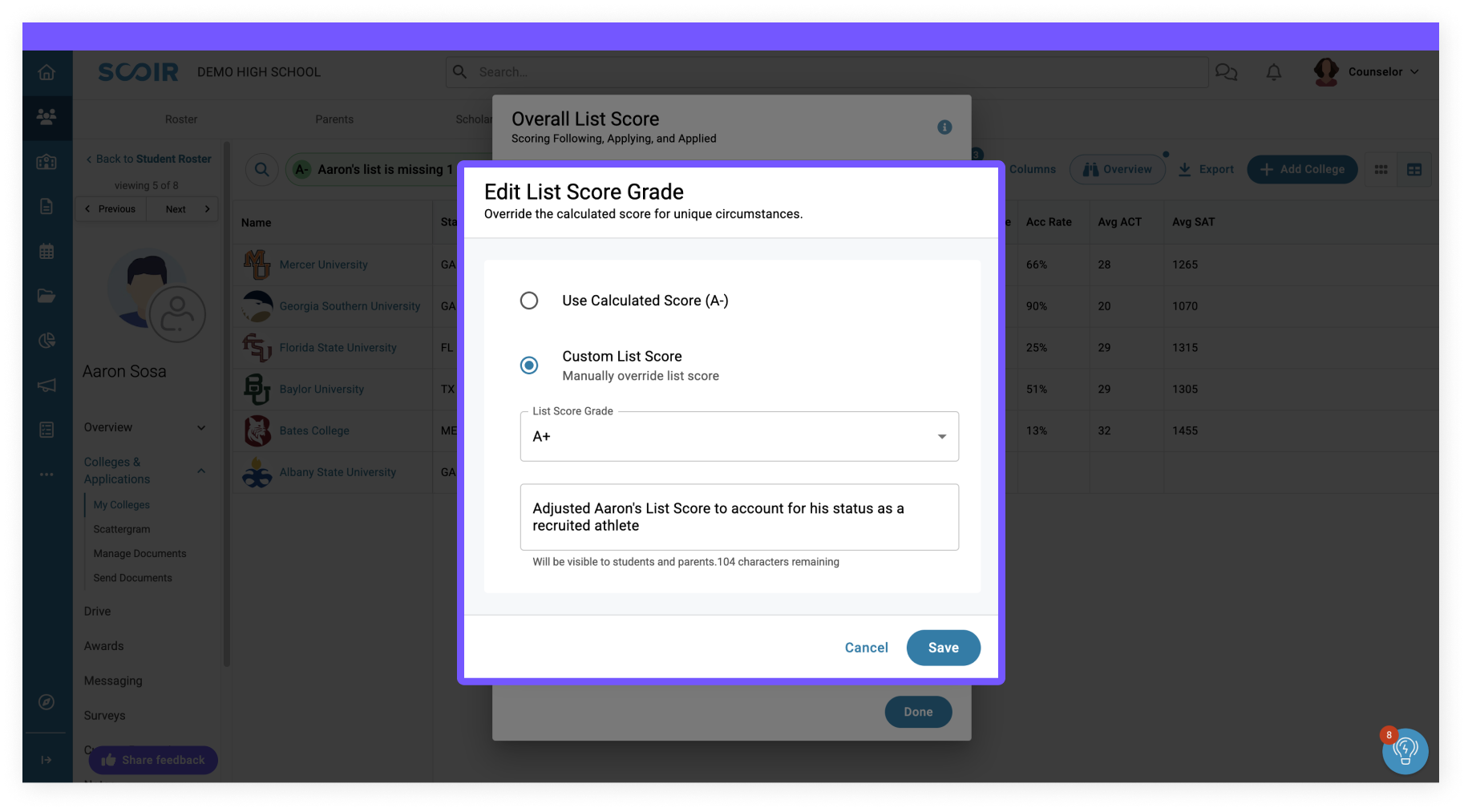
Plus, you can now override a list score if a student's list doesn't match your criteria.
Keep an eye out for even more updates to come!
5. Bonus Resources
Almost done! We held an Admission Intelligence training recently 📽️ Be sure to check it out if you want to learn more about how to use Scoir AI.
We also put together a high-level ✨ Scoir AI Playbook ✨ for your reference. Feel free to share this resource with your colleagues!
These updates would not be possible without counselor feedback. As always, we'd love to hear your thoughts about the direction we're taking Scoir AI. We're all ears.👂
This article was originally published on January 21, 2025. It was updated on November 24, 2025 for accuracy and comprehensiveness.
Abby deSilva is the Inbound Marketing Strategist at Scoir. She loves creating content and helping students find their dream college and career.
 Abby deSilva

 Noelle Brandon: Sep 14, 2026, 9:34:13 AM
 Valerie Russell