Skip to the main content.

College & Career Readiness

Free for students & their families

Create a Student Account

Create a Guardian Account

Explore Colleges & Careers

Mobile iOS

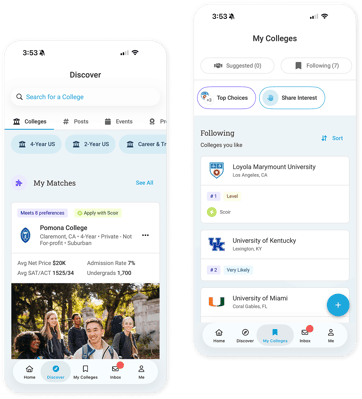
Scoir mobile app

Download


Join the Scoir Network, streamline your college & career journey
 

Explore All Features

Simplified Advising Made for Counselors, With Counselors


Book a Walkthrough

View Pricing


Districts

Seamlessly integrated, affordable systems for use across your district.

District Solutions

Middle Schools

Career Readiness for 6-8 grade, built to guide and track progress in the early years of career exploration.

Middle School Solutions

Common AppTM Integration

Scoir + Common App are integrated for the 2025-26 academic year!

Learn More


See how we save counselors time on admin, so they can better support students
 

Explore All Features


Low Lift, High Reward
A solution that makes an impact on students and your enrollment numbers


Schedule a Consultation

Plans For Every Bandwidth and Budget
 

View Pricing

Resources

Check out content and practical guides to help inform your enrollment strategies and programs.

View All Resources

Tap into the Scoir Network, where 1 in 8 college-bound students are already searching
 

Explore All Features

2 min read

For Counselors: A Smarter Way to Manage Documents

For Counselors: A Smarter Way to Manage Documents
A Smarter Manage Documents Experience | Scoir
3:06

Student application document management is a problem every counselor knows: Tracking down which documents each student still needs, checking their college list against a stack of requirements, then repeating the process for every student in your caseload. At Scoir, we’ve solved it.

Manage Documents is a powerful tool that offers a single view where you can see, at a glance, exactly what materials every senior needs based on the colleges they're actually applying to. No more guessing whether a missing document actually matters. No more time wasted tracking everything down for each student, one by one. It's all clearly laid out for you in one table in Scoir.
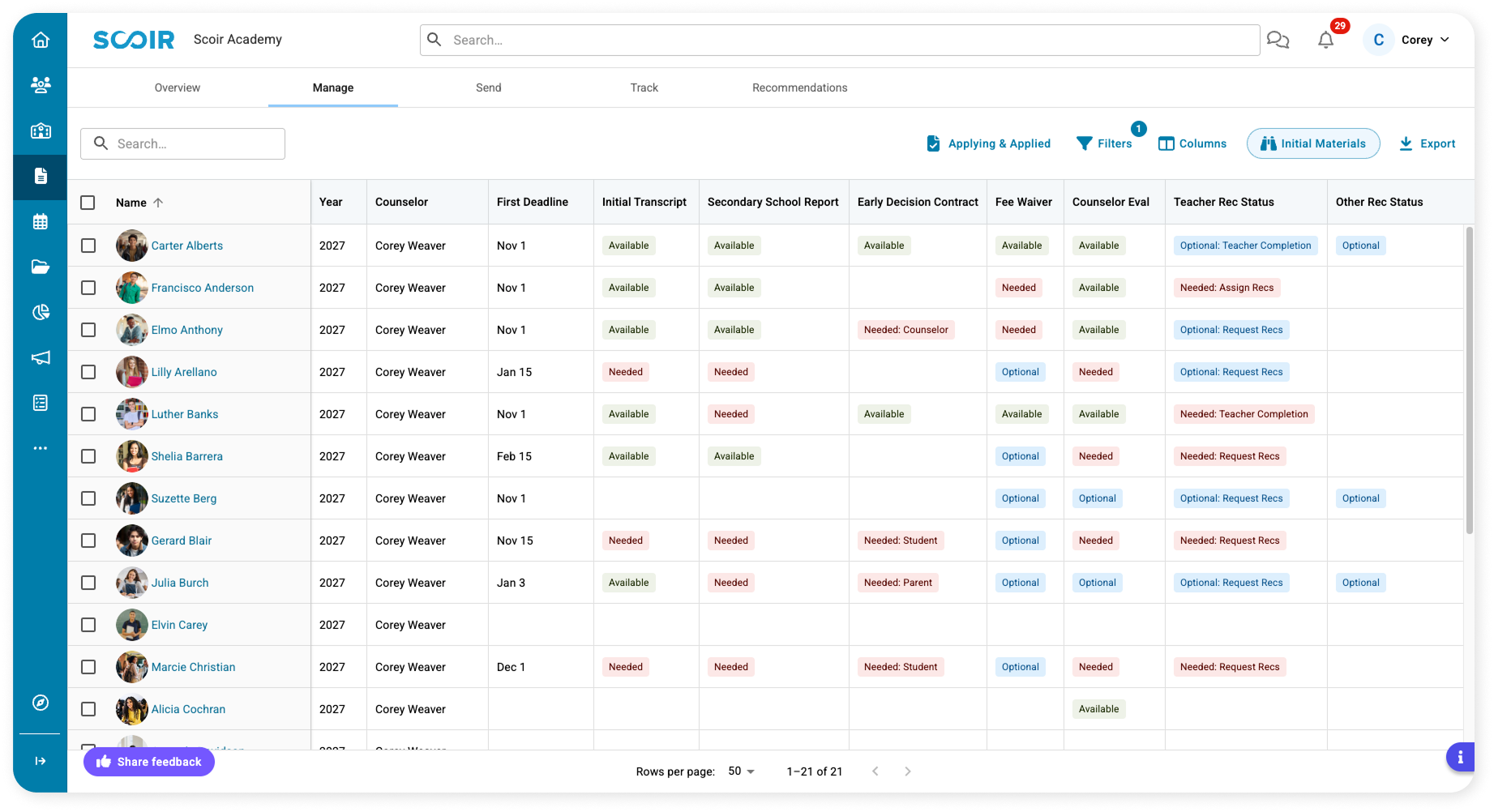
 

Manage Documents Dashboard - Counselors - Product Shot


How does Manage Documents work?

The table connects document status to each student's actual college list. Every student gets a row, every document type gets a column, and every cell answers two questions at once:

  • Available (green): the document is on file.
  • Needed (red): the document is missing, and at least one college on the student's list requires it.
  • Optional (blue): the document is missing, but at least one college on the student's list will accept it.

Three customizable views give you an out-of-the-box starting point for Initial, Midyear, and Final Materials. Filters and a column manager let you build the exact view you need, like every senior missing a required Counselor Evaluation or every senior that needs to assign teacher recommendations. From there, you can then take action by clicking on each individual student’s name to manage their documents specifically.

How does Manage Documents improve my day-to-day?

You get your time back. Instead of chasing down documents student by student, you can see what's missing and required for your entire caseload in one place, so you know exactly where to focus first. With custom views, you can quickly see what's changed as students' applications evolve week to week — allowing you to run regular reports to check if there are new students that need additional docs. It's the same intuitive experience you already use elsewhere in Scoir: search, filter, sort, and prioritize.

Check out our HelpDoc for a full walkthrough of the new table and access this experience in Scoir by navigating to Applications→Manage.

Not a Scoir customer yet? Book a 30-min demo to learn more about our intuitive features.


FAQ

What is Manage Documents?

Manage Documents is a single view that shows you, student by student, exactly which documents are on file and which are still needed, based on each student's actual college list. Documents are marked Available, Needed, or Optional, so you can tell what matters at a glance. Learn more about Scoir's send docs features.


Which document types can I manage and send to colleges in Scoir?

Any document associated with a college application can be sent through Scoir! This includes:

  • Transcripts
  • Letters of recommendation
  • Fee waivers
  • Early decision contracts
  • Secondary school reports
  • And more!


What college applications are used to decide what's Needed vs. Optional for each student?

Next to your filters button is an option to "Show requirements for," where you can select from three options. This version of each student's list is used to populate all document requirements.

Do I need to do anything to get started with Manage Documents?

No setup is required! You should see an in-platform notification that says you now have access. Any changes you or your students have made up to this point will be reflected in the new experience.

Where do I find Manage Documents in Scoir?

Navigate to Applications → Manage in Scoir.

Can I still access documents the way I used to?

Yes. Manage Documents is designed to help you prioritize what needs attention. To act on a specific document, click a student's name and work from their profile as you always have.


How can I give my feedback on the Manage Documents experience?

In Scoir, you’ll see an in-platform notification pop up alerting you about this update. There is a feedback button on that tab that leads you to the form.


Noelle Brandon

Picture of blog author

Noelle is a Content & Engagement Strategist working on both the Client Services and Marketing teams at Scoir. She has over eight years of higher education experience as both a writing instructor and in marketing communications. Her North Star goal as a writer is to create meaningful connection.

Make next year's docs sending season the easiest one yet - Request a Walkthrough - Pictures of Kristin and Shelby
For Counselors: A Smarter Way to Manage Documents

2 min read

For Counselors: A Smarter Way to Manage Documents

Student application document management is a problem every counselor knows: Tracking down which documents each student still needs, checking their...

Read more
For Counselors: Assigning & Sending Teacher Requests

For Counselors: Assigning & Sending Teacher Requests

In this blog, we cover updates to teacher recommendations in Scoir for schools that require assignment to specific colleges. This is automatically on...

Read more
For Counselors: Teacher Recommendation Rankings

1 min read

For Counselors: Teacher Recommendation Rankings

Now, counselors (and students, depending on your school’s settings) can rank teacher recommendations, which will then be automatically assigned to...

Read more