How Parents Share Their Interest With Colleges | Scoir
3:12
College search can feel like an overwhelming process for students. The more people supporting them along the way—counselors, family, friends—the better.
As a parent/guardian, you want to help: researching schools, requesting information, and offering your perspective. But without a clear way in, you may not hear from colleges until after your student applies.
At Scoir, we’re changing that. Now, parents and guardians can be part of the college search process from the very beginning. Here’s how.
How Can Parents/Guardians Use Scoir Alongside Students?
Parents/Guardians can search Scoir the same way students do:
by entering a specific college’s name in the search bar
by entering a prompt in the search bar (ex. "Best colleges for nursing in the northeast")
by manually filtering through interests, location, size, and more in the Discover tab
by setting your college preferences to automatically see schools in the Discover tab that may not have been on your radar but match your interests
When you come across a college that feels like a good match, you can send it straight to your student as a suggestion. It shows up in a dedicated list on the student's side, separate from their own follows, so they can explore the college further and decide whether to add it to their list.
Students follow 57% of colleges suggested by a parent—proof that when parents weigh in, students tend to listen.
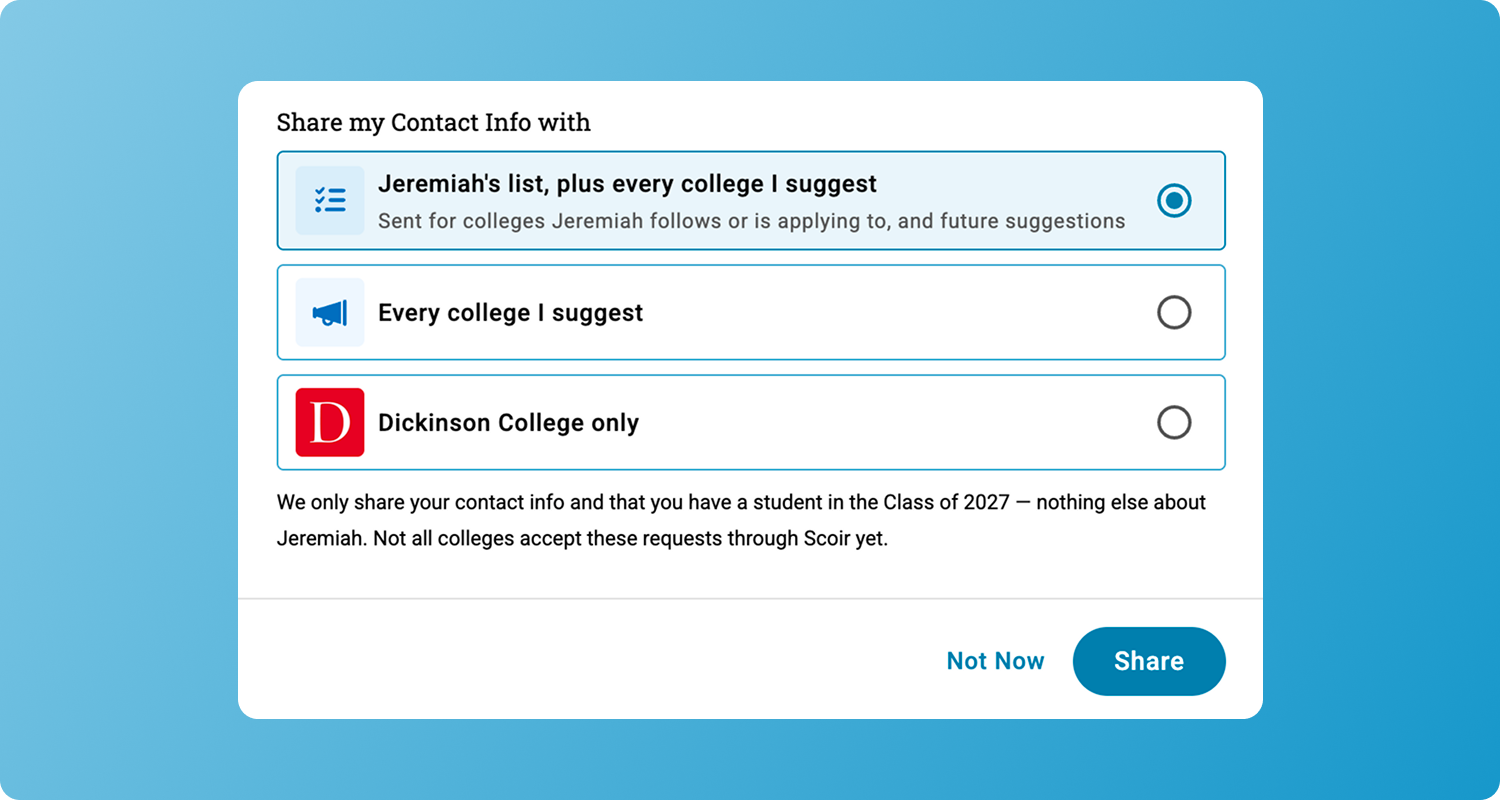
Typically, request-for-information (RFI) forms are designed with students in mind, leaving parents with no direct way to request information for themselves. Now, you can share your own contact information with colleges through Scoir.
Participating colleges can then reach out to you directly, with communications built for you, not repurposed from a student mailing list. If you’re a parent/guardian juggling your own set of questions about cost, campus safety, or what happens after acceptance, you’re now more likely to get information that's more relevant to you.
See Which Colleges are Visiting Your Student's School
Parents/guardians can also see which colleges are visiting their student's high school. That visibility means you can nudge your student to sign up for a visit they may otherwise miss or help them prepare a few good questions beforehand. It's a simple yet powerful feature that allows you insight into a process that so often happens without parents/guardians.
Become part of your student’s college search journey from the very beginning! Log into Scoir today to start suggesting colleges and sharing your contact information with schools you’re interested in.
Scoir is free for students and parents! If your student's high school is not on Scoir, just create your accounts and start exploring today.
Noelle is a Content & Engagement Strategist working on both the Client Services and Marketing teams at Scoir. She has over eight years of higher education experience as both a writing instructor and in marketing communications. Her North Star goal as a writer is to create meaningful connection.
In this blog, we cover updates to teacher recommendations in Scoir for schools that require assignment to specific colleges. This is automatically on...
 Noelle Brandon

 Noelle Brandon: Sep 29, 2026, 4:26:09 PM