Skip to the main content.

College & Career Readiness

Free for students & their families

Create a Student Account

Create a Guardian Account

Explore Colleges & Careers

Mobile iOS

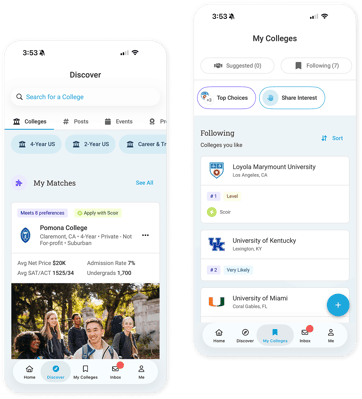
Scoir mobile app

Download


Join the Scoir Network, streamline your college & career journey
 

Explore All Features

Simplified Advising Made for Counselors, With Counselors


Book a Walkthrough

View Pricing


Districts

Seamlessly integrated, affordable systems for use across your district.

District Solutions

Middle Schools

Career Readiness for 6-8 grade, built to guide and track progress in the early years of career exploration.

Middle School Solutions

Common AppTM Integration

Scoir + Common App are integrated for the 2025-26 academic year!

Learn More


See how we save counselors time on admin, so they can better support students
 

Explore All Features


Low Lift, High Reward
A solution that makes an impact on students and your enrollment numbers


Schedule a Consultation

Plans For Every Bandwidth and Budget
 

View Pricing

Resources

Check out content and practical guides to help inform your enrollment strategies and programs.

View All Resources

Tap into the Scoir Network, where 1 in 8 college-bound students are already searching
 

Explore All Features

1 min read

For Counselors: Teacher Recommendation Rankings

For Counselors: Teacher Recommendation Rankings
Teacher Recommendation Rankings for Counselors | Scoir
1:29

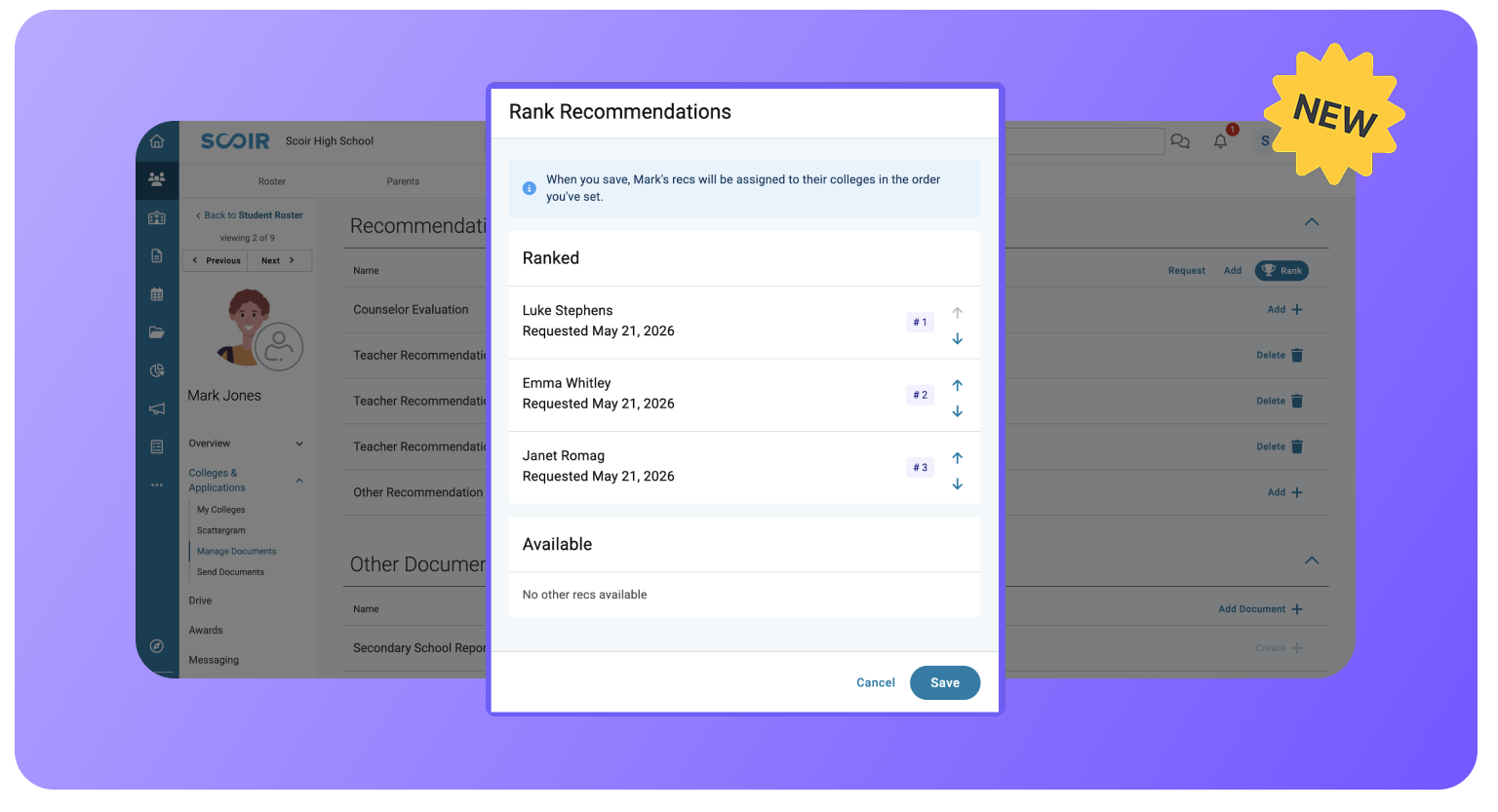
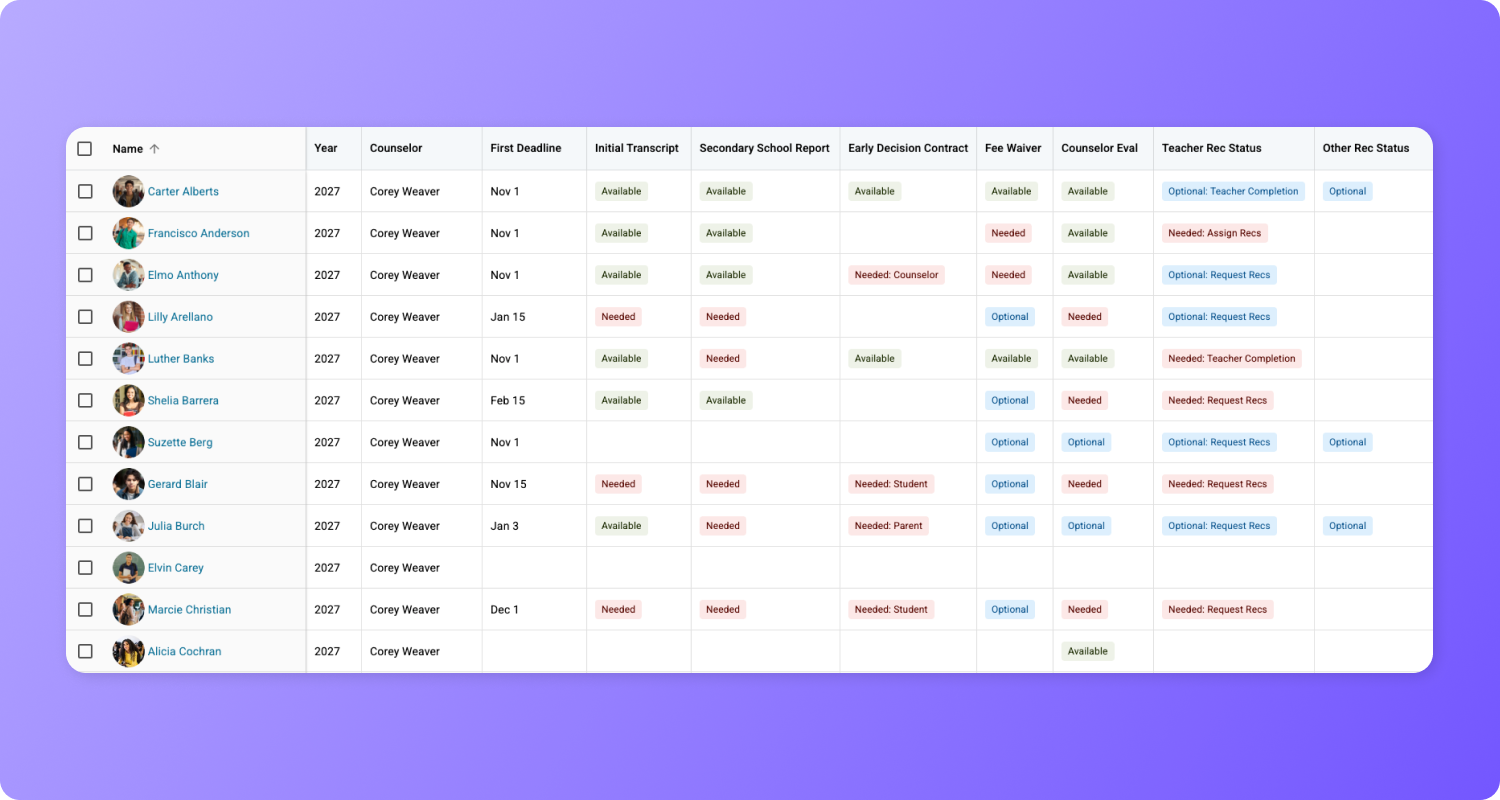
Now, counselors (and students, depending on your school’s settings) can rank teacher recommendations, which will then be automatically assigned to colleges before they're fulfilled.  🚀

Let’s jump in!

What's New

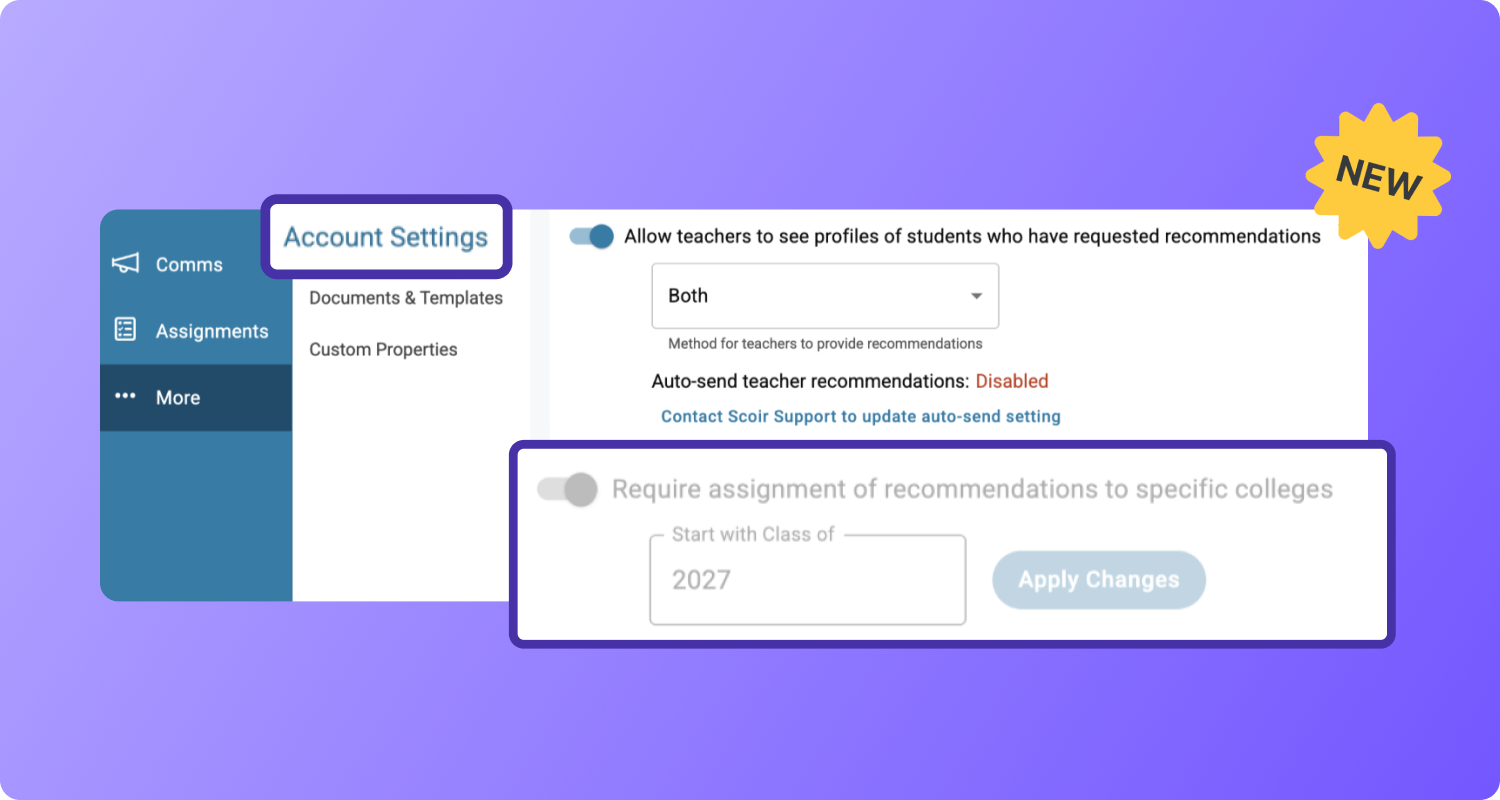
Counselors have a new toggle to enable recommendation ranking in Account Settings under Recommendations called "Require assignment of recommendations to specific colleges."

If your school uses the Scoir + Common App integration, the setting is greyed out and on by default and cannot be disabled. For all other schools, an Account Administrator can enable it and choose which graduating class to start with (Class of 2027 or later).

Group 1983 (21)


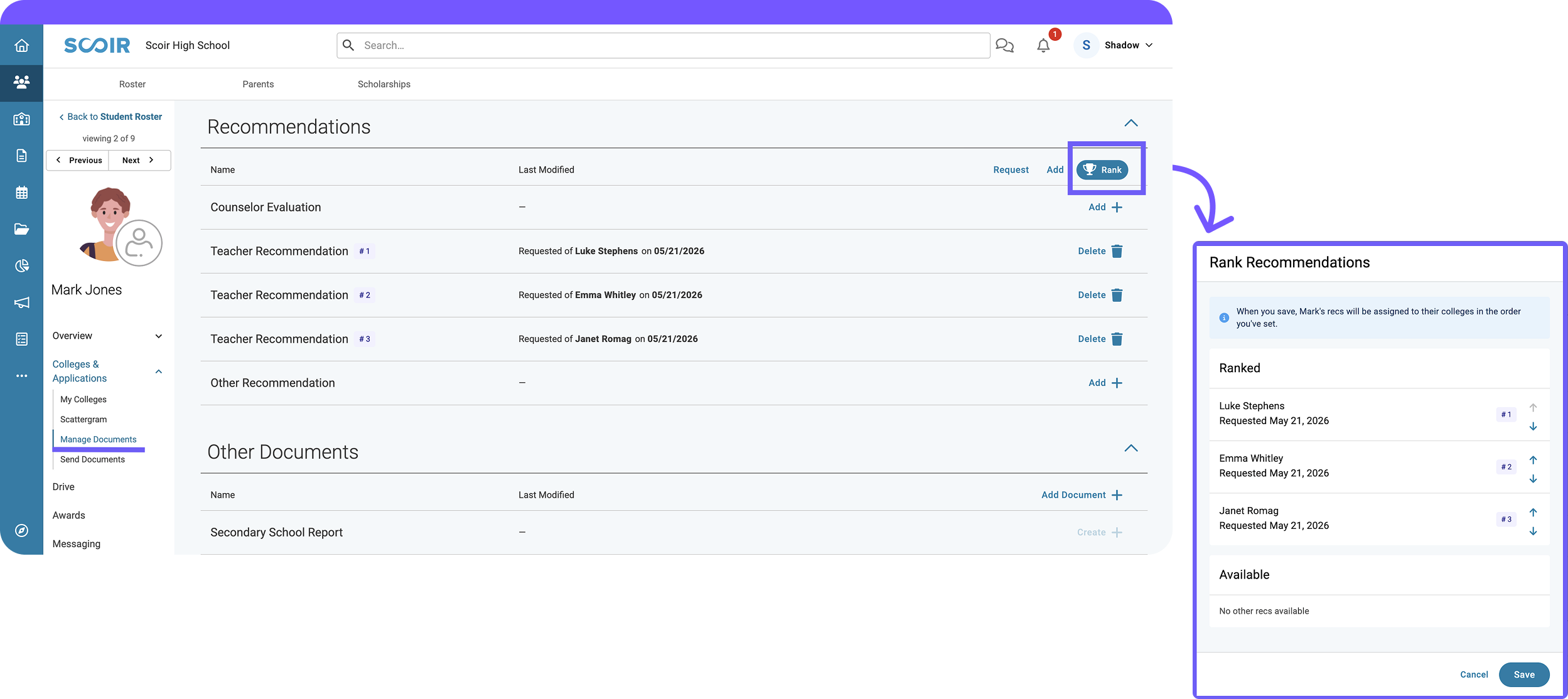
Ranking allows you to set a preferred order for a student's teacher recommendations. Once ranked, Scoir automatically assigns them to the colleges a student has marked as Applying or Applied.

ranking

Students whose schools allow them to request their own recommendations can also manage their own ranking when you have enabled the setting to "Allow students to request and assign (if applicable) recommendations." Their ranking and yours stay in sync—either of you can update it at any time before recommendations are sent.


Additional Resources

Learn more about how ranking teacher recommendations fits into your workflow by reading our help articles: 

And that’s a wrap! 

Share your feedback! We're all ears 👂

Valerie Russell

Picture of blog author

Val Russell is a Senior Manager of Product Marketing at Scoir. She's spent 12+ years helping products find their voice. She has a knack for translating the complex into the compelling, and has had a hand in more launches than she can count. From shaping messaging frameworks to running campaigns that actually move the needle, she's most at home where strategy meets storytelling.

Make next year's docs sending season the easiest one yet - Request a Walkthrough - Pictures of Kristin and Shelby
For Counselors: Teacher Recommendation Rankings

1 min read

For Counselors: Teacher Recommendation Rankings

Now, counselors (and students, depending on your school’s settings) can rank teacher recommendations, which will then be automatically assigned to...

Read more
For Counselors: Scoir-Created Plans

2 min read

For Counselors: Scoir-Created Plans

Access pre-built, customizable Plans for onboarding and college and career readiness, including Prerequisites and the ability to assign tasks within...

Read more
For Counselors: Final Report Updates

3 min read

For Counselors: Final Report Updates

Counselors can now create and send Final Reports using an improved layout with more flexibility 🚀

Read more