For Middle & High Schools
Tasks, Forms & Plans
Building clear, actionable guidance for your students is effortless on Scoir.
Tasks
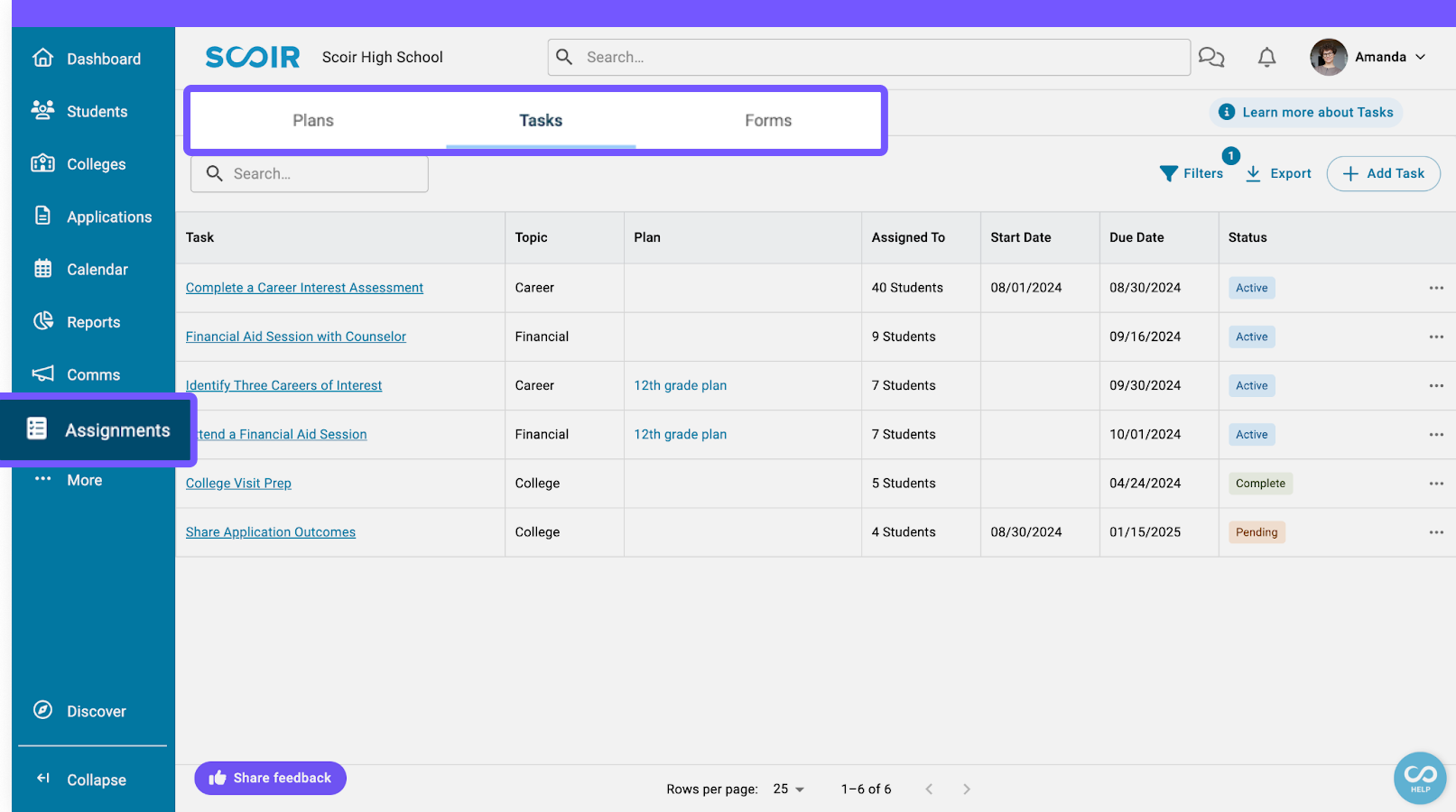
A Task is a specific action you assign to a student, a parent, or both. Tasks can be as simple as asking students to follow colleges on Scoir, or as involved as having them fill out a career assessment reflection, so you can learn more about how their career matches align with their post-secondary goals.
You can attach documents, link videos, and include a Form to collect responses directly in Scoir. Once you assign a Task, it shows up on the recipient's dashboard for them to complete. You can track progress and send reminders all from one place.
Forms
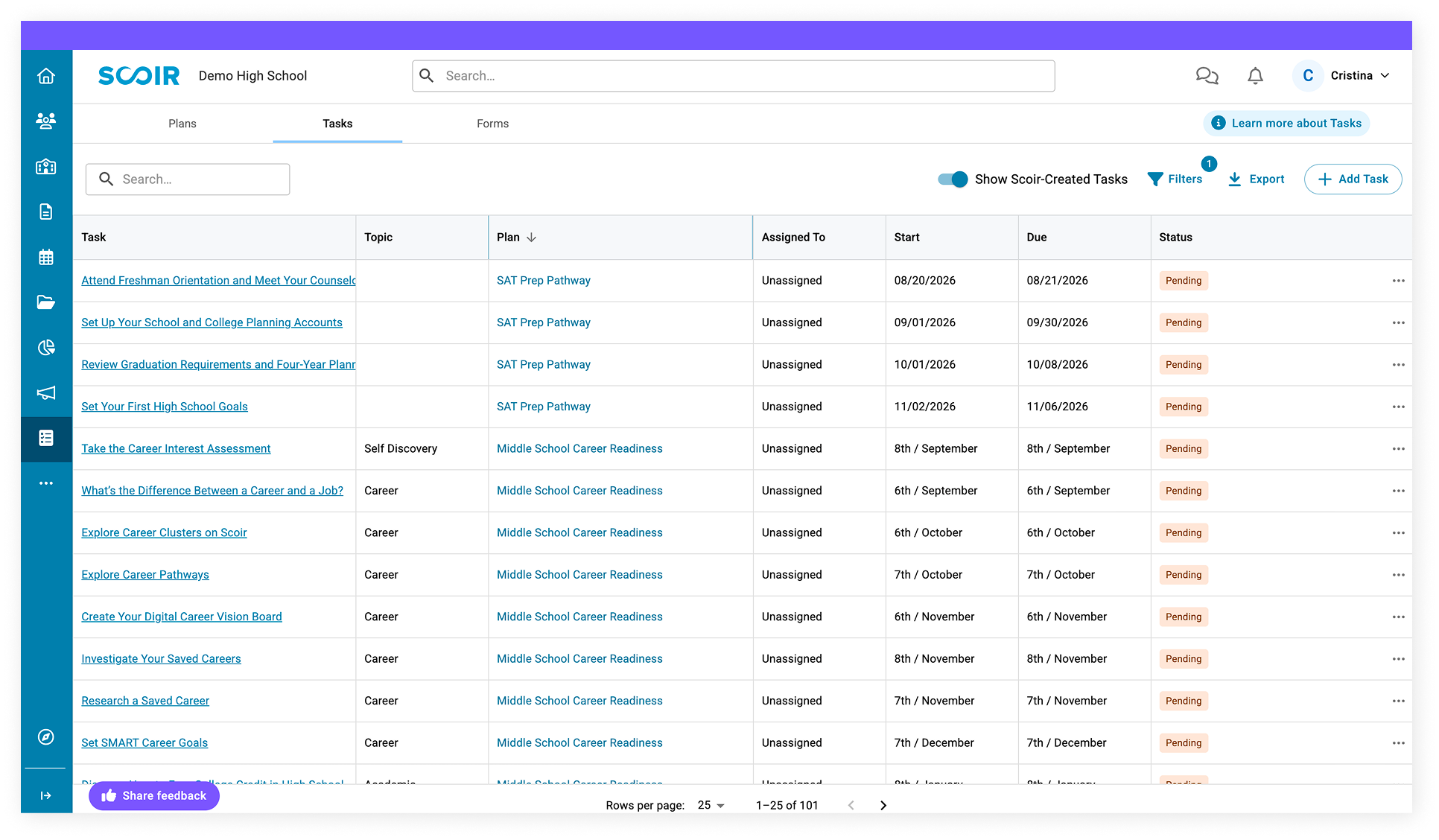
Forms are assigned to students as a task. Simply add fields you want to customize into the editor and include your directions. A great example of a form is a Senior Brag Sheet.
Because Forms are designed to collect information from a student, they need a way to get to them first. That's where Tasks come in. You "attach" your form to a task. The task acts as the vehicle that carries the form to the student, and once completed, the information from the form comes back to you.
Plans
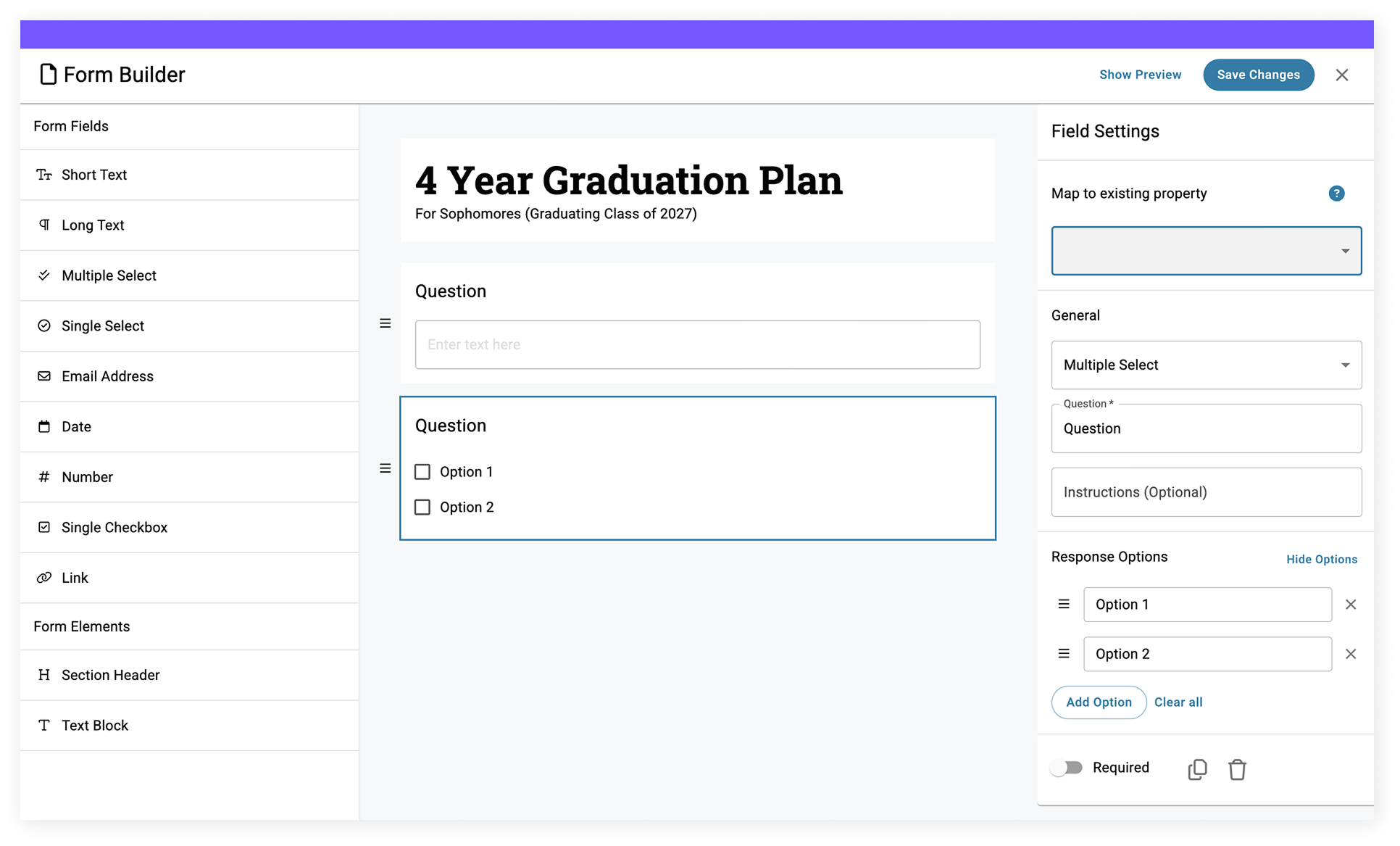
A Plan is a collection of tasks and forms you want students to accomplish that is repeated every year. Plans are evergreen! Once you set up a Senior Year Plan, for example, it stays ready for you every year. When the current seniors graduate, the plan for the next academic year automatically moves into draft status so you can review and publish for the next group of seniors while preserving your history from the last class. You build a Plan once, and it works for years to come.
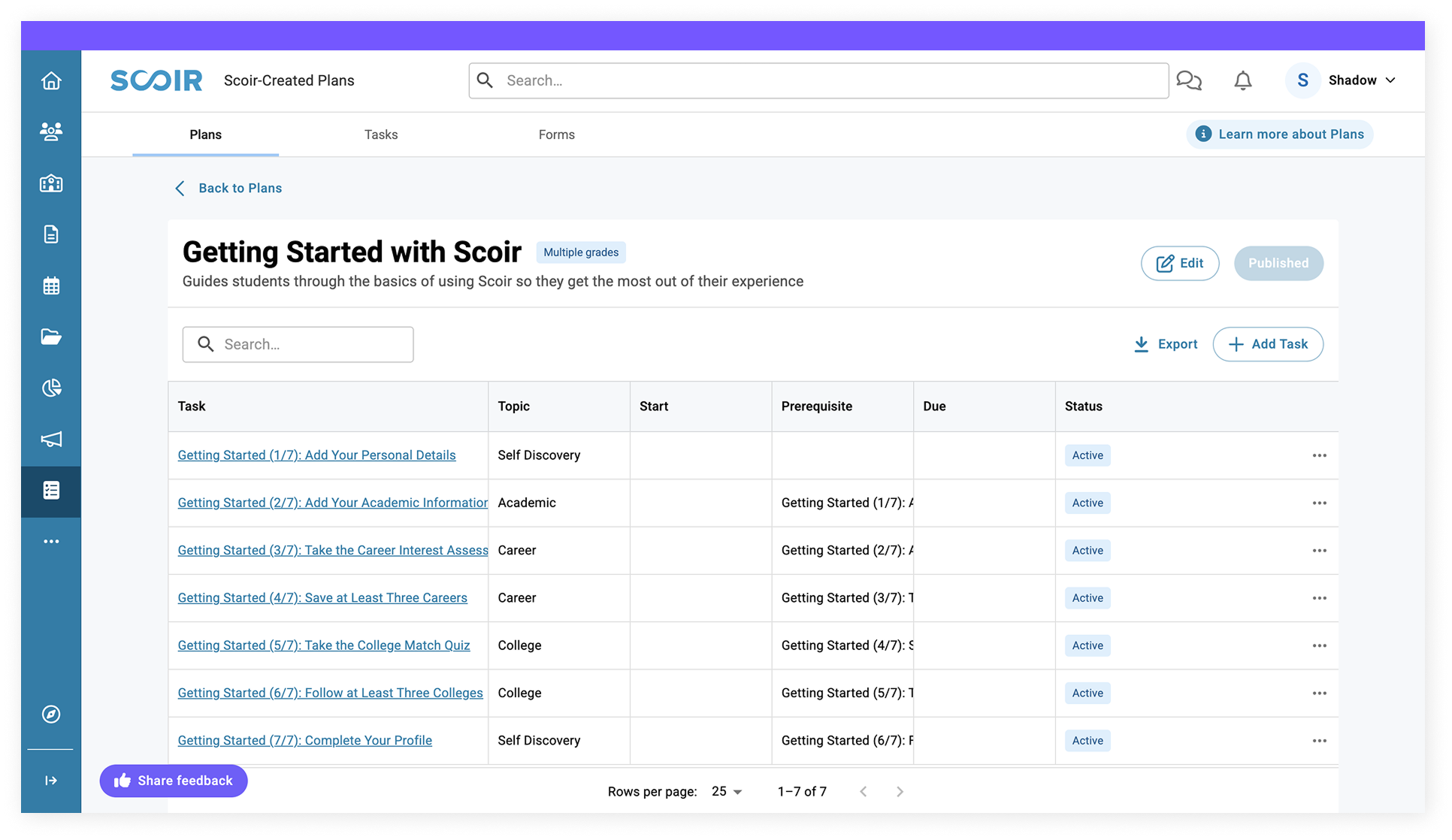
Getting Started With Scoir Plan
Acts as an onboarding guide to help students unlock the platform’s value. This Plan emphasizes discovery and personalization, ensuring students feel confident navigating Scoir from the start. Outcomes include students understanding how to use Scoir’s tools and features to make their journey smoother.
Example tasks: taking the College Match Quiz, setting their preferences, or following a few colleges they're interested in.
Middle School Career Readiness Plan
Designed to spark curiosity and help younger students start thinking about their future. This Plan focuses on self-discovery and making connections between personal interests and career paths. Students build early awareness of the opportunities ahead and how school ties into their future.
Example tasks: creating a career vision board or filling out Forms that encourage them to reflect on what they've learned about themselves.
High School College & Career Readiness Plan
Helps students explore careers, build their college lists, and prepare for the application process. This Plan ensures that students can track concrete progress toward their postsecondary goals, make more informed choices, and graduate with a clear path ahead.
Example tasks: completing the Career Interest Assessment, creating a first draft of a balanced college list, or drafting a college essay outline.
FAQs
-
How do I create and assign tasks?
Review our Creating and Assigning Tasks helpdoc for the step-by-step guide.
-
Can I assign tasks individually and in bulk?
Yes! Assign tasks individually by clicking into a student's Profile and selecting Assignments > Assign New Task. New and existing tasks can also be assigned to individual students in the Roster Preview and Assignments. Assign multiple students to a task by clicking the title of the task, selecting Manage Assignments, typing in the students’ names, and choosing from the dropdown.
-
What is the difference between Plans and Scoir-Created Plans?
Plans are created by you and tailored to serve whatever you built them for. Scoir-Created Plans are pre-built Plans created by Scoir to serve the purpose of college and career readiness as well as onboarding. Although they are prebuilt in Scoir, you still have the ability to fully customize them to your needs.
-
Is the Career Readiness Curriculum PDF still available?
Yes! Although our ASCA-compliant Career Readiness Curriculum has been converted into Scoir-Created Plans, it's still available as a PDF download.
